
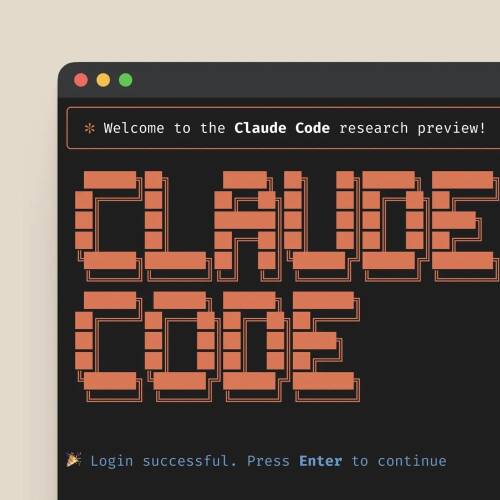
With the introduction of Claude Code, Anthropic entered the competitive market of AI-powered coding assistants. What started in February 2025 as a beta preview powered by the Claude 3.7 Sonnet model has since evolved into one of the most capable agentic coding tools in the industry. Claude Code has been generally available since May 2025 and is now powered by the current flagship model, Claude Opus 4.6. This article provides an in-depth analysis of Claude Code's features, strengths, and use cases — including the latest additions like Agent Teams, MCP integration, and Skills.
What Is Claude Code?
Claude Code is an agentic coding tool that runs directly in your terminal, developed by Anthropic. It's a command-line interface (CLI) currently powered by the Claude Opus 4.6 model — Anthropic's latest flagship. Since May 2025, Claude Code has been generally available and has left its beta phase behind.
Unlike integrated IDE extensions such as GitHub Copilot or built-in chat interfaces, Claude Code takes a terminal-first approach that fits seamlessly into existing development workflows. That said, Claude Code now also offers official IDE integrations for VS Code and JetBrains, so developers can choose between terminal and IDE based on their preference.
Installation and Setup
Claude Code offers multiple installation paths for different platforms and preferences.
macOS (Homebrew) — Recommended for Mac
brew install claude-code
Note: Homebrew installations do not auto-update. Run
brew upgrade claude-coderegularly to stay current.
Windows
On Windows, Anthropic recommends using WSL2 (Windows Subsystem for Linux). First install WSL2, then install Claude Code within the Linux environment:
# Install WSL2 (PowerShell as Admin)
wsl --install

# Inside WSL2: Install Claude Code via npm
npm install -g @anthropic-ai/claude-code
Alternatively, Claude Code can be installed natively on Windows via npm, provided Node.js 18+ is available.
Linux
# Via npm (Node.js 18+ required)
npm install -g @anthropic-ai/claude-code
If you encounter permission issues, configure npm to install global packages in your home directory — never use sudo:
mkdir -p ~/.npm-global
npm config set prefix '~/.npm-global'
echo 'export PATH=~/.npm-global/bin:$PATH' >> ~/.bashrc
source ~/.bashrc
npm install -g @anthropic-ai/claude-code
Node.js (npm) — Cross-Platform
npm install -g @anthropic-ai/claude-code
Node.js 18 or newer is required.
Docker
Docker is particularly well-suited for isolated environments or CI/CD pipelines:
docker run -it --rm \
  -e ANTHROPIC_API_KEY=your-api-key \
  -v $(pwd):/workspace \
  -w /workspace \
  anthropic/claude-code
Installation Best Practices
- No
sudo: Never usesudo npm install -g. This leads to permission issues and poses a security risk. Instead, configure a user-specific npm directory (see the Linux instructions above). - Use a Node version manager: Tools like
nvmorfnmavoid global permission conflicts entirely:
# Install nvm and set up Node
curl -o- https://raw.githubusercontent.com/nvm-sh/nvm/v0.40.0/install.sh | bash
nvm install --lts
npm install -g @anthropic-ai/claude-code
- Update regularly: Claude Code receives frequent updates with new features and bug fixes.
Authentication
Claude Code can be used in two ways:
1. Anthropic subscription (Pro/Max): Sign in directly with your Anthropic account — no API key configuration needed:
claude
# Follow the browser-based login flow
2. API key: Set your key as an environment variable:
export ANTHROPIC_API_KEY=your-api-key-here
Core Features in Detail
Interactive REPL Mode
The REPL mode (Read-Eval-Print Loop) is the heart of Claude Code. By entering the claude command, an interactive session starts where developers can communicate directly with the assistant. This mode is particularly suited for:
- Exploratory programming and prototyping
- Debugging complex problems
- Quick code generation for specific tasks
- Learning new programming languages or frameworks
Interaction happens in natural language, with Claude Code maintaining context across multiple requests for a true pair-programming experience.
Project-Based Work
One of Claude Code's standout features is its ability to work with entire projects. The tool analyzes codebases, understands relationships, and suggests contextually appropriate changes. In project mode, Claude Code can:
- Capture and navigate the project structure
- Identify dependencies between files
- Provide architectural recommendations
- Suggest refactorings
- Generate documentation
- Write and run tests
File Operations and Code Manipulation
Claude Code interacts directly with the file system and modifies code files. Its built-in tools for reading, writing, editing, and searching make it a powerful instrument for:
- Automated refactorings
- Code generation based on specifications
- Feature implementation
- Bug fixing and optimization
The tool can edit multiple files simultaneously and coordinate changes, which is particularly useful for complex refactorings or architectural changes.
Terminal Commands and System Interaction
Claude Code can execute terminal commands and interact with the operating system:
- Running tests and analyzing results
- Compiling and executing code
- Installing dependencies
- Interacting with Git and other development tools
- Running scripts and automating workflows
System interaction takes place in a controlled environment, with Claude Code warning about potentially dangerous operations and requesting confirmation. Configurable permission modes let you control which actions are automatically allowed.
Checkpoints and Rewind
Since 2025, Claude Code includes a built-in checkpoint system. File changes are automatically tracked, and with Esc+Esc or /rewind, you can restore code, conversation, or both to a previous state — independent of Git.
IDE Integrations
VS Code
The official Claude Code extension for VS Code offers:
- Native panel integration with inline edits
- IDE-based diff view for suggested changes
@-mentions of files with line ranges- Conversation history and multiple parallel sessions
- Checkpoint support directly in the IDE
JetBrains
The Claude Code plugin (Beta) is available for IntelliJ IDEA, PyCharm, WebStorm, GoLand, and other JetBrains IDEs. It integrates the CLI into the IDE terminal and displays suggested changes in the IDE's native diff viewer.
MCP — Model Context Protocol
The Model Context Protocol (MCP) is an open standard by Anthropic that connects Claude Code to external tools, databases, and APIs. MCP servers extend Claude Code's capabilities beyond its built-in tools.
How Does MCP Work?
MCP servers run as separate processes and provide Claude Code with additional tools — such as database access, browser automation, or SaaS integrations. Configuration happens at three levels: global, project-specific, or team-wide.
Popular MCP Servers
- GitHub / Git — Manage issues, PRs, and repositories
- PostgreSQL — Natural language database queries
- Puppeteer — Browser automation and web scraping
- Google Drive / Slack — SaaS integrations
- File System — Extended file operations
Context Efficiency
Since January 2026, the automatic MCP Tool Search reduces context consumption from MCP tools by up to 85%. Tools are only loaded when they are actually needed.
MCP is a broad topic — a dedicated article with detailed setup instructions and practical examples is coming soon.
Tools — Claude Code's Toolkit
Claude Code comes with a set of built-in tools that it uses to interact with your development environment:
| Category | Tools |
|---|---|
| Files | Read, Write, Edit, Glob, Grep |
| System | Bash (command execution) |
| Web | WebFetch, WebSearch |
| Notebooks | NotebookEdit (Jupyter) |
| Tasks | Task (sub-agents for parallel work) |
Additional tools can be connected via MCP servers — from database queries to browser automation. Skills can restrict which tools are available via an allowed-tools field.
A separate article will cover the tool architecture and extensibility options in detail.
Skills — Reusable Instructions
Skills are reusable instruction sets that automate recurring tasks. They are stored as Markdown files with YAML frontmatter and invoked via slash commands (e.g., /commit, /review-pr).
Where Are Skills Stored?
- Global:
~/.claude/skills/— apply across all projects - Project:
<project>/.claude/skills/— apply to a specific project
What Can Skills Do?
- Enforce coding standards and conventions
- Standardize recurring workflows (e.g., commit messages, PR creation)
- Restrict tool access per skill
- Activate automatically or manually via slash command
The plugin ecosystem now includes over 270 plugins with more than 1,500 skills for a wide range of use cases.
Skills and Hooks deserve their own deep-dive article — coming soon.
Agent Teams — Multi-Agent Workflows (New: February 2026)
One of the most significant new features is Agent Teams, introduced alongside Opus 4.6 in February 2026. Agent Teams enable parallel collaboration across multiple Claude Code sessions:
- One session acts as team lead and coordinates the work
- Teammates work independently in their own context windows
- Hours of sequential work are transformed into minutes of parallel execution
Agent Teams are particularly well-suited for large refactorings, feature implementations spanning multiple modules, or parallel execution of testing and documentation tasks.
# Enable Agent Teams (experimental)
CLAUDE_CODE_EXPERIMENTAL_AGENT_TEAMS=1 claude
Supported Programming Languages and Frameworks
Claude Code supports a wide range of programming languages and frameworks, including:
- General-purpose languages: Python, JavaScript/TypeScript, Java, C/C++, Go, Rust, Ruby, PHP
- Web frameworks: React, Angular, Vue.js, Django, Flask, Express, Ruby on Rails, Laravel, Next.js
- Mobile development: Swift, Kotlin, React Native, Flutter
- Data processing: SQL, Pandas, NumPy, TensorFlow, PyTorch
- DevOps and infrastructure: Docker, Kubernetes, Terraform, Ansible
- Scripting languages: Bash, PowerShell, Perl
Support varies by language and framework, with Python, JavaScript, and TypeScript receiving the most comprehensive coverage.
Pricing and Plans
Claude Code can be used in two ways:
Anthropic Subscription
| Plan | Price | Claude Code Usage |
|---|---|---|
| Pro | $20/month | Included, standard quota |
| Max 5x | $100/month | 5x more messages than Pro |
| Max 20x | $200/month | 20x more messages than Pro |
Max plans additionally include Extended Thinking and Memory features.
API Key (Pay-per-Use)
| Model | Input | Output |
|---|---|---|
| Claude Sonnet 4.5 | $3.00 / 1M tokens | $15.00 / 1M tokens |
| Claude Opus 4.6 | $5.00 / 1M tokens | $25.00 / 1M tokens |
For heavy usage, a Max subscription is typically much more cost-effective than direct API usage.
Strengths and Differentiators
Deep Codebase Understanding
Unlike many other coding assistants that often work only with individual files or code snippets, Claude Code can analyze and understand entire projects. This enables contextually appropriate suggestions and changes that harmonize with the existing codebase.
Agentic Capabilities
The ability to independently execute actions sets Claude Code apart from many other coding assistants. The tool can:
- Execute terminal commands
- Create, read, and modify files
- Run and analyze tests
- Install and manage dependencies
- Spawn sub-agents for parallel tasks
Seamless Integration
Claude Code fits seamlessly into existing development workflows, both in the terminal and through IDE integrations for VS Code and JetBrains.
Context Continuity and Memory
Claude Code maintains context across multiple requests. Since early 2026, there is also an automatic memory system that stores insights from previous sessions and retrieves them when starting new sessions.
Limitations and Challenges
- Context limits: Very large codebases can exceed the model's context limits — although the context window now extends up to 1M tokens (beta).
- Language support: Some niche languages and frameworks are not yet optimally supported.
- Token costs: With intensive API usage, costs can be significant, especially with Opus 4.6.
- Latency: Complex operations with Extended Thinking or Agent Teams require more time and tokens.
Comparison with Other Coding Assistants
Compared to solutions like GitHub Copilot, Cursor, or JetBrains AI Assistant, Claude Code offers:
- Strengths: Deeper project understanding, agentic capabilities, terminal and IDE integration, MCP extensibility, multi-agent workflows
- Weaknesses: Higher latency for complex operations, token-intensive usage with Agent Teams
Best Practices and Tips
Effective Prompts for Claude Code
- Be specific: Define clear goals and requirements
- Provide context: Share relevant information about the project and requirements
- Communicate constraints: Make limitations and preferences explicit
- Work iteratively: Break complex tasks into smaller steps
Use CLAUDE.md
Create a CLAUDE.md file in your project root to store persistent project-specific instructions — coding standards, preferred tools, architectural decisions, and more.
Workflow Integration
- Combine IDE + terminal: Use the VS Code/JetBrains extension for visual work and the terminal for complex tasks
- Create skills: Standardize recurring tasks as skills
- Set up MCP servers: Connect Claude Code to your databases, APIs, and tools
- CI/CD integration: Use Claude Code for automated code reviews or documentation generation
Future Outlook
Claude Code has undergone a remarkable evolution since its launch in February 2025 — from a beta preview to a full-fledged development tool with IDE integrations, a plugin ecosystem, and multi-agent capabilities. With features like Agent Teams, MCP integration, and the growing skills ecosystem, Claude Code positions itself as one of the most versatile coding tools on the market.
The coming months are likely to bring further improvements — more stable Agent Teams, a broader plugin ecosystem, and deeper IDE integrations are to be expected.
Conclusion
Claude Code has evolved from a promising beta tool into one of the most capable AI-powered coding assistants available. By combining deep codebase understanding, agentic capabilities, flexible IDE integrations, and the open MCP standard, the tool delivers a development experience that goes far beyond simple code completion.
For developers looking for a powerful and extensible coding assistant that integrates seamlessly into existing workflows, Claude Code is one of the best options on the market — whether in the terminal, in VS Code, or in JetBrains.