

Rust core and web frontend: desktop software that stays lightweight
Decisive factors:
Desktop applications should run on every operating system, start quickly and not weigh down the machine. Tauri achieves this with a clear division of labor: the interface is built with web technologies, the core of the application runs as a compiled Rust program. Instead of shipping its own browser, Tauri uses the webview of the operating system: WebView2 on Windows, WKWebView on macOS and WebKitGTK on Linux.
The result is installers of a few megabytes, significantly lower memory consumption and a security model that grants every system function individually. Our team brings both: web experience for frontends with Vue.js, React or TypeScript and Rust expertise for file systems, databases, cryptography and hardware integration. Since Tauri 2, the same codebase also produces apps for iOS and Android.
Tauri is open source under the MIT and Apache 2.0 licenses, is backed by the Tauri Foundation within the Dutch non-profit Commons Conservancy and has been externally security audited. Products such as GitButler, Hoppscotch Desktop and Spacedrive show that the framework is production-ready. Where Electron remains the better choice, we will tell you just as openly.
Strategic advantages for your business
Choosing Tauri directly affects distribution costs, security assessments, user acceptance and the long-term maintainability of your desktop software.
- Small installers, fast distribution. Tauri does not ship its own browser. Typical applications are a few megabytes in size instead of over a hundred. This shortens downloads, relieves your update infrastructure and lowers the barrier for users to install the software in the first place.
- Low resource consumption. The Rust core runs without a garbage collector, and the system webview shares resources with the operating system. Less memory, lower CPU load and longer battery life, noticeable on older devices and in environments with many programs running in parallel.
- Security as an architectural principle. Every system function must be explicitly granted through permissions, scopes and capabilities, per window and per webview. Rust eliminates entire classes of memory errors at compile time. The Tauri 2 architecture was externally audited by Radically Open Security.
- Desktop and mobile from one codebase. Since Tauri 2, the same project produces apps for Windows, macOS, Linux, iOS and Android. We add platform-specific functionality through plugins in Rust, Swift or Kotlin. One team, one repository, five target platforms.
- Free choice of frontend. Tauri is frontend-agnostic. Vue.js, React, Svelte, Angular or plain TypeScript: your existing web frontend can be carried over. We build the interface with the stack your team already knows and add the native core in Rust.
- Native performance at the core. File processing, cryptography, local databases or hardware communication run as compiled Rust code with full multi-core support. The frontend calls these functions through type-safe commands, without a JavaScript runtime in the backend.
Facts and figures
0
+
Years
of Experience
0
+
Team
Members
+
0
%
Long-term
Partnerships
A process that creates planning certainty
Every project follows a structured process with clear responsibilities, defined milestones and transparent communication. At any point you know exactly where your project stands, what comes next and which decisions are due.
-
Strategic analysis and requirements assessment:
Together we define the scope of your application, the target platforms and the requirements for size, security and offline capability. You receive a reliable assessment of effort and timeline, and of whether Tauri or Electron is the better foundation for your project.
-
Architecture concept and technology selection:
We design the split between Rust core and web frontend, define the commands for communication between the two layers, set up the permission model with capabilities and select the right plugins for updates, file system, databases or notifications.
-
Iterative implementation with defined milestones:
Development takes place in clearly defined sprints with measurable interim results. After every sprint you receive a runnable version for your target systems. Course corrections are possible at any time without extra costs.
-
Quality assurance on all target platforms:
Because Tauri uses the webview of the operating system, we test specifically on WebView2, WKWebView and WebKitGTK and reconcile rendering differences. Automated tests, security reviews of the capabilities and performance measurements are part of every release cycle.
-
Signing, installers and update infrastructure:
We build signed installers for all target platforms (MSI/NSIS for Windows, DMG with notarization for macOS, DEB/RPM/AppImage for Linux) and set up the Tauri updater with signed update packages. For mobile, we support the release in the App Store and Google Play.
-
Long-term maintenance and strategic evolution:
After launch, we keep your application stable through monitoring, prompt updates of Tauri, the Rust toolchain and dependencies, and testing against new webview versions of the operating systems. We plan strategic enhancements with you on a quarterly basis.
Typical use cases
Tauri delivers its greatest value where desktop software has to be small, secure and resource-efficient, or where desktop and mobile should be built from one codebase.
Security-critical applications
Password managers, encryption tools, signing clients or applications with access to sensitive company data. Rust memory safety and the capabilities model limit the attack surface to what the application actually needs.
Internal business tools
Tools for administration, process control and workflow automation that run on hundreds of workstations. Small installers and low memory consumption pay off with every rollout and on every machine.
Desktop and mobile from one team
Applications used at the desk in the office and on the smartphone in the field. With Tauri 2, both variants come from the same codebase, with shared business logic in Rust and native plugins where the platform requires them.
Developer and productivity tools
API clients, Git interfaces, database managers or Kubernetes dashboards: Hoppscotch, GitButler and Aptakube are built on Tauri. The Rust core handles networking, file access and process control, while the web frontend delivers the familiar interface.
Data processing and dashboards
Analysis of large local datasets, reporting and interactive visualizations. Parsing, aggregation and export run as compiled Rust code in parallel on all cores, while the web frontend handles the presentation.
Kiosk and point-of-sale systems
POS systems, terminals and displays that have to run reliably on lean hardware. Low resource requirements, integration of receipt printers and scanners via Rust, and an update mechanism that works without an administrator on site.
Offline-capable business applications
Applications for field service, production or laboratories that work without a stable connection and synchronize later. We implement local SQLite databases, background synchronization and conflict resolution in the Rust core.
Migrating existing Electron apps
When installer size, memory consumption or security requirements of an existing Electron application become a problem: the web frontend is largely retained, and we port the Node.js part to Rust step by step.
Technologies that strengthen Tauri projects
Tauri combines a Rust core with a freely selectable web frontend. Every technology we use is established, actively maintained and widely available on the market.
Tauri or Electron? An honest assessment
Both frameworks bring web frontends to the desktop, but with different priorities. Electron bundles Chromium and Node.js and thus delivers exactly the same rendering engine on every machine. Tauri relies on the system webview and a Rust core, and wins on size, resources and security as a result. Which path fits depends on your requirements, not on trends.
Tauri when size and resources count
Installers of a few megabytes, low memory consumption and fast startup times. Relevant for large rollouts, weak hardware, kiosk systems or when users run the software alongside many other programs.
Tauri when security is the priority
A memory-safe language at the core, explicit approval of every system function via capabilities and an externally audited architecture. A robust argument for applications with sensitive data or strict compliance requirements.
Tauri when mobile is part of the plan
Desktop and mobile apps from one codebase with shared Rust logic. If you have to serve iOS and Android anyway, you save yourself a second project and a second team.
Electron when rendering consistency is decisive
System webviews differ: WebKitGTK on Linux lags behind Chromium in web standards, and WebView2 has to be installed separately on older Windows versions. If you need pixel-perfect parity on every system, Electron is the safer bet.
Electron when the Node.js ecosystem carries the app
If the business logic depends on npm packages without a Rust equivalent, porting costs more than it delivers. Electron lets you reuse existing Node.js code directly.
Our approach
We evaluate target platforms, security requirements, existing code and team know-how and give you a clear recommendation. Both frameworks are part of our daily work, so we have no interest in selling you the wrong one.
Collaboration that fits your structures
Whether fixed budgets, iterative development or a long-term partnership: we work in the model that matches your internal approval processes and planning cycles.
Can an existing Electron app be migrated to Tauri?
Yes, and the migration is less a rebuild than a relocation. The web frontend is largely retained, while the Node.js part moves to Rust step by step.
What stays
- Renderer code: The entire interface with framework, components and styling keeps running in the Tauri webview
- Backend APIs: Connections to servers and services remain unchanged
- Frontend build pipeline: Vite, Webpack and similar tools work as before
What changes
- Main process: Everything that previously ran in the Electron main process with Node.js is reimplemented as a Tauri command in Rust or moved to a sidecar process
- IPC: Communication between frontend and core runs through Tauri commands instead of the Electron ipcRenderer
- Native modules: Node.js addons are replaced by Rust crates, and mature libraries exist for most tasks
- Permissions: Every system function has to be explicitly granted through capabilities, which forces a welcome inventory during migration
Step by step instead of big bang
Where an immediate port of the entire Node.js code is too costly, a Node.js sidecar can keep running for a transition period. The Rust core takes over function by function until the sidecar becomes redundant.
When migration pays off
- Installer size or memory consumption of the Electron app have become a problem
- Security requirements demand a stricter permission model
- Mobile versions of the application are planned
The bottom line: A migration is a manageable project if the application is cleanly separated into renderer and main process. We analyze the existing code as part of our web application development services and name effort and risks before the decision.
Can we also build apps for iOS and Android with Tauri?
Yes, since Tauri 2. The same codebase produces apps for Windows, macOS, Linux, iOS and Android.
How mobile works with Tauri
- Shared frontend: On mobile, the web interface runs in the system webview, WKWebView on iOS and Android System WebView on Android
- Shared Rust core: Business logic, data storage and synchronization are written once and compiled for all platforms
- Native plugins: Platform-specific functions such as camera, biometrics or push notifications are integrated through plugins in Swift or Kotlin and exposed to the frontend
- Store publishing: The apps are distributed through the App Store and Google Play as usual
When this pays off
- Desktop first, mobile added: An application is used at the computer in the office and on the smartphone on the go, for example in field service or maintenance
- One team instead of three: No separate iOS, Android and desktop teams, but one codebase with shared logic
- Security requirements: The capabilities model and the Rust core apply on mobile just as they do on the desktop
Where other approaches are stronger
If mobile is the focus and desktop plays no role, Flutter or React Native with their native UI components are often the better choice. Tauri plays to its strengths when desktop and mobile should emerge from a single source on equal footing.
The bottom line: With Tauri 2, a desktop project becomes a cross-platform product without a second codebase. We evaluate with you whether this path or a dedicated mobile framework fits your goals.
Can we reuse our existing web frontend built with Vue.js or React in Tauri?
Yes, in most cases largely unchanged. Tauri is frontend-agnostic: anything that compiles to HTML, CSS and JavaScript runs in the webview.
What can be carried over directly
- Framework and components: Vue.js, React, Svelte, Angular or Solid, including your existing component library
- Styling: Tailwind CSS, CSS modules or classic stylesheets
- Build tools: Vite, Webpack or other bundlers. Tauri starts your dev server and embeds the built bundle
- State management and routing: Remain unchanged, the app runs like a single-page application
What needs to be adapted
- Backend calls: Where the frontend previously called a REST or GraphQL API, it can continue to do so. Local functions such as file access run through Tauri commands in the Rust core instead
- Browser APIs: Features that rely on browser specifics have to be checked against the three system webviews
- Node.js dependencies: Packages that only run in Node.js belong in the Rust core or in a sidecar process
One frontend, many targets
The same frontend can still be delivered as a web application. The Tauri app is then an additional form of distribution with system access, not a second codebase.
The bottom line: The effort concentrates on the Rust core and the interface between the two layers. Your frontend team keeps working with the tools it knows.
Do we need Rust expertise in our own team to operate a Tauri app?
For operation no, for further development of the core yes. How much Rust your team needs depends on where development will take place in the long run.
The division of labor in a Tauri app
- Frontend: The largest share of ongoing development, new views, forms and workflows, happens in the web frontend. Experience with JavaScript or TypeScript and the chosen framework is sufficient for this
- Rust core: Changes to system access, data storage or performance-critical logic require Rust skills. In practice, this part is considerably more stable than the frontend after launch
Three models for your team
- Fully external: We operate and develop both core and frontend as a service. Your team needs no Rust skills
- Frontend internal, core external: Your team works on the web frontend, we maintain the Rust core and provide new commands when the frontend needs them. The most common model
- Fully internal: We hand over with documentation, pairing and training. Rust has a steeper learning curve than JavaScript, but experienced developers are productive within a few weeks
What speaks for Rust
- Talent: According to the Stack Overflow Developer Survey 2025, Rust is the most admired programming language for the tenth year in a row, and qualified developers are increasingly available
- Maintainability: The compiler catches entire classes of errors that in other languages only surface in production
- Stability: Rust code that compiles usually runs reliably. Maintenance effort concentrates on dependency updates
The bottom line: You do not have to build a Rust team to benefit from Tauri. We design the handover so that your team takes over exactly the parts it wants to, and we support the rest as part of our project support.
How do the system webviews affect rendering on Windows, macOS and Linux?
This is the most important technical trade-off of Tauri and deserves an honest answer. Because Tauri uses the webview of the operating system, rendering can differ slightly between platforms.
The three webviews
- Windows: WebView2, based on Chromium, preinstalled and automatically updated on Windows 11. On Windows 10 a separate installation may be required, which the installer handles
- macOS: WKWebView, based on WebKit, the same engine as Safari, updated with the operating system
- Linux: WebKitGTK, also WebKit-based, in different versions depending on the distribution
What this means in practice
- Web standards: Modern CSS and JavaScript features are available on all three webviews. Very new features usually reach WebKitGTK later than Chromium
- Details: Font rendering, scrolling behavior and form elements follow the conventions of the respective system, which many users perceive as more natural
- Testing effort: We test specifically on all three webviews and reconcile differences through feature detection and fallbacks
When this becomes a problem
Applications that need pixel-perfect parity on all systems, such as design tools or media production, are safer with the bundled Chromium of Electron. For business applications, dashboards and tools, the difference is usually negligible.
The bottom line: The system webview is the price for small installers and low memory consumption. Whether that price is appropriate for your project is something we clarify based on your requirements for rendering and target platforms.
How do updates, signing and distribution work for Tauri apps?
Tauri covers the complete chain from installer creation to automatic updates. Users receive new versions without a manual download, and every package is cryptographically signed.
Installers for all platforms
- Windows: MSI and NSIS installers, signed with your code signing certificate. The installer checks whether WebView2 is present and installs it if needed
- macOS: DMG and app bundle, signed and notarized with Apple so that Gatekeeper launches the app without a warning
- Linux: DEB, RPM and AppImage for the common distributions
- Mobile: IPA for the App Store and APK or AAB for Google Play
Automatic updates
- Updater plugin: The app checks an endpoint you control for new versions at startup or at intervals
- Signature verification: Every update package is signed with a private key. The app only installs packages whose signature matches the embedded public key
- Staged rollout: Updates can be rolled out by channel (such as beta and stable) or by user group
- Small packages: Because the installer is small, every update is small too. With hundreds of workstations, that is a noticeable difference
Distribution within the company
For internal applications we set up the update source on your infrastructure, for example behind the company network or in your cloud. Alternatively, you distribute through existing software management tools, with which MSI and DEB packages are directly compatible.
The bottom line: The update infrastructure is an integral part of every project. You keep control over who receives which version and when, and your users always work with the current release.
How long does it take to develop a Tauri app and what drives the effort?
The timeline depends less on the framework than on the scope of features. Tauri itself causes no significant extra effort compared to Electron, as long as Rust expertise is available in the team.
Experience from our projects
- Focused tool: An application with a clearly defined purpose, such as an internal tool with a few views, takes around 6 to 10 weeks to reach a first productive version
- Business application: An application with several modules, offline data storage, synchronization and roles typically requires 3 to 6 months
- Existing web frontend: If a web application already exists, the effort is significantly reduced because the frontend is carried over and only the Rust core is built from scratch
What drives the effort
- System integration: How many native functions does the app need? File system and notifications are quickly available through plugins, while special hardware protocols require custom Rust development
- Target platforms: Every additional platform means additional testing and signing effort, especially mobile with the store processes
- Offline capability: Local data storage with synchronization and conflict resolution is a work package in its own right
- Backend: Does an API already exist, for example based on Laravel, or does it have to be developed alongside?
Our approach
We work in sprints with runnable interim versions on your target systems. After every sprint you decide on the priorities. A concept workshop at the start provides a reliable estimate of effort and timeline.
The bottom line: A reliable assessment is available after the requirements analysis. The timeframes mentioned are based on experience, and we translate them to your project in the initial consultation.
How secure are Tauri applications?
With Tauri, security is not an afterthought but part of the architecture. The core runs in a memory-safe language, and every system function has to be explicitly granted.
The permission model of Tauri 2
- Permissions: Every function of the core and of each plugin can be switched on or off individually
- Scopes: Permissions can be restricted to parameters, for example file access only to a specific directory
- Capabilities: Permissions are assigned to individual windows or webviews. A helper window does not automatically receive the rights of the main window
By default, the frontend can do nothing that has not been explicitly allowed. Even if a vulnerability in the web part were exploited, access to the system remains limited.
Rust as a security factor
- Memory safety: Rust prevents buffer overflows, use-after-free and similar error classes at compile time. Google puts the density of memory safety vulnerabilities in its Rust code at one thousandth of that in its C and C++ code
- No Node.js in the core: There is no JavaScript runtime with system access that could be reached from the frontend
External review
The Tauri 2 architecture was audited by Radically Open Security, funded by NLnet. The results fed into hardening of the development server, the IPC layer and iframe handling.
Our contribution
- Minimal capabilities: We only grant what the application actually needs and document every permission
- Signed updates: Update packages are cryptographically signed, and the app verifies the signature before installation
- Dependency checks: Rust crates and npm packages are automatically checked for known vulnerabilities
The bottom line: For applications with sensitive data, for example in finance, healthcare or industry, Tauri offers a security foundation that goes beyond what browser-based desktop frameworks usually provide.
How small and resource-efficient are Tauri apps really?
The numbers are solid, but they depend on the application. A Tauri app starts at a few megabytes, a comparable Electron app at over 100 MB.
Where the difference comes from
- No bundled browser: Electron ships Chromium and Node.js, together around 100 to 150 MB. Tauri uses the webview that is already present on the system
- Compiled core: The Rust part is compiled into a single native binary, usually under 10 MB
- No garbage collector: The core manages memory at compile time, without a runtime working in the background
Realistic orders of magnitude
- Installer: A typical business application comes in at 5 to 15 MB. The rest is your frontend bundle and embedded assets
- Memory: In operation often a third to half of a comparable Electron app, because the Chromium overhead is gone
- Startup time: Shorter, since no separate browser process has to be launched
What this means for your business
- Rollouts: Smaller downloads speed up distribution to hundreds of workstations and relieve your update infrastructure
- Hardware: The application runs smoothly on older devices, thin clients and kiosk systems
- Acceptance: Users notice the difference when the app runs alongside a browser, office suite and video conferencing
The bottom line: The savings in size and memory are real and measurable. Whether they are decisive for your project depends on where and how often the application is installed and on which hardware it runs.
Is Tauri production-ready and who is using it?
Yes. Tauri 2.0 has been stable since October 2024 and is used by a growing number of professional products. The framework has existed since 2020, and version 1.0 was released in 2022.
References from practice
- GitButler: Git client with a SvelteKit frontend and Rust core, one of the most complete public Tauri 2 applications
- Hoppscotch Desktop: The open source API client uses Tauri so that the Rust core can execute HTTP requests without browser restrictions
- Spacedrive: Distributed file manager with demanding file processing in the Rust core
- Aptakube: Commercial Kubernetes interface for Windows, macOS and Linux
- Gitify: GitHub notification tool that migrated from Electron to Tauri and reduced its installer size by roughly a factor of ten in the process
Maturity of the ecosystem
- Governance: Backed by the Tauri Foundation within the Commons Conservancy, funded through sponsors and Open Collective
- Security audit: The Tauri 2 architecture was externally reviewed by Radically Open Security, funded by NLnet
- Plugins: Core functions such as updater, file system, database, notifications and shell are available as official plugins
- Tooling: Project generator, hot module replacement including mobile, CI templates for all platforms
Where Tauri is younger than Electron
The Electron ecosystem is larger, with more third-party libraries and more developers with experience. For very specific system integrations, a Tauri plugin may have to be written first.
The bottom line: For new desktop projects, Tauri is a production-ready choice. In the initial consultation we check whether all required system functions are already covered by plugins or require custom development.
What is Tauri and how does it differ from Electron?
Tauri is an open source framework for desktop and mobile applications whose interface is built with web technologies and whose core runs in Rust. The decisive difference from Electron: Tauri does not ship its own browser.
How Tauri works
- Web frontend: The interface is built with HTML, CSS and JavaScript, using Vue.js, React, Svelte or Angular as you prefer
- Rust core: File system, databases, networking, cryptography and hardware integration run as a compiled Rust program
- System webview: For rendering, Tauri uses the webview of the operating system: WebView2 on Windows, WKWebView on macOS and WebKitGTK on Linux
- Commands: Frontend and core communicate through type-safe function calls, and every system function has to be explicitly granted
The comparison with Electron
- Installer size: A few megabytes instead of often over 100 MB, because Chromium and Node.js are not bundled
- Memory consumption: Significantly lower, since the webview is shared with the system and the core runs without a garbage collector
- Backend language: Rust instead of Node.js, with its advantages in speed and memory safety
- Rendering: Electron renders identically everywhere, Tauri depends on the webview of the respective system
Governance and license
Tauri is licensed under MIT and Apache 2.0 and is backed by the Tauri Foundation within the Dutch non-profit Commons Conservancy. Version 2.0 has been stable since October 2024 and adds support for iOS and Android.
The bottom line: Tauri is the lightweight, security-focused alternative to Electron. Which framework fits your project depends on your requirements for size, rendering, security and existing code.
Thank you for your trust!
We have safely received your message and are delighted about your interest. Our team is already reviewing your inquiry carefully and will get in touch with you within one working day.
Should you have any further questions or require additional information in the meantime, please do not hesitate to contact us. We are here to assist you and make your concerns our highest priority.
Insights
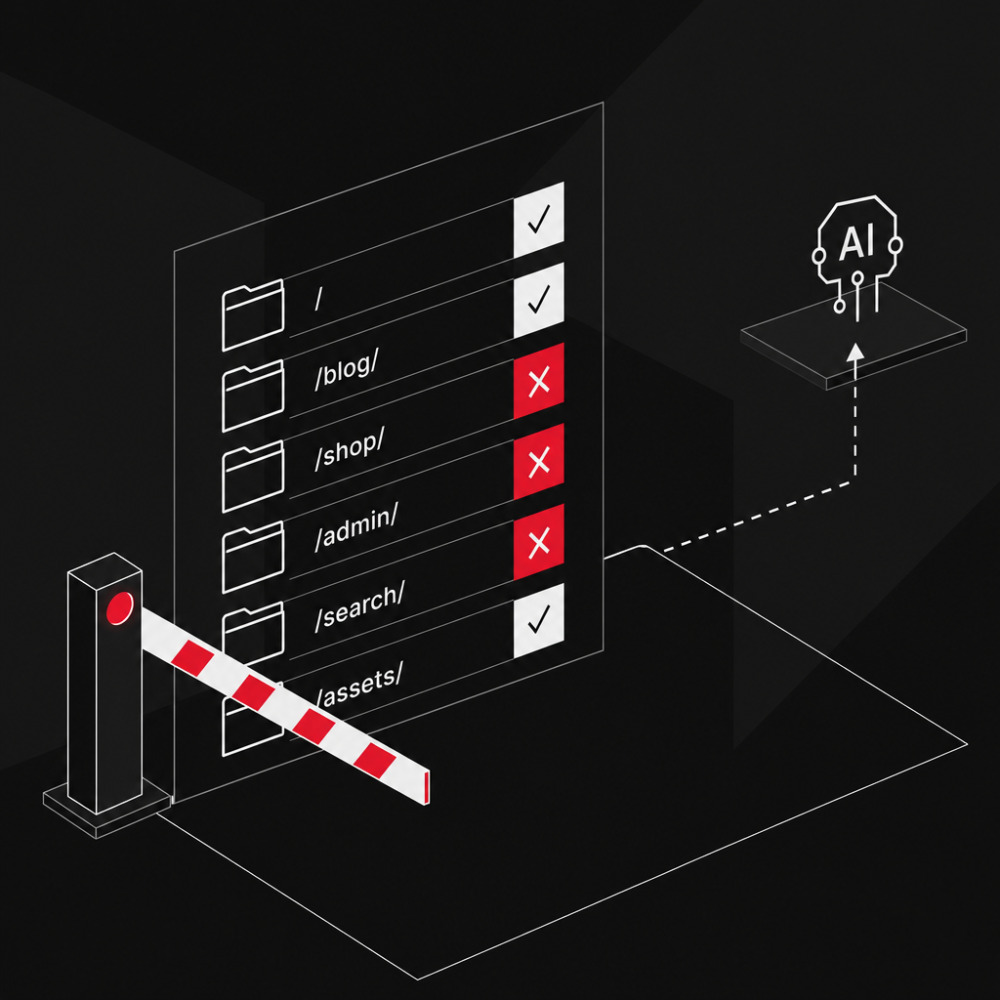
Creating and Properly Configuring a robots.txt
 Max Callsen
To the post
Max Callsen
To the post
-
Webdevelopment
22. June 2026
Ralph Wiggum as a Method: What Autonomous AI Coding Loops Mean for Software Commissioning
 Jonas Emde
-
Webdevelopment
21. May 2026
Developing Better Abstractions: How Declarative API Design Future-Proofs Software Projects
Jonas Emde
-
Webdevelopment
11. May 2026
Agent-based Software Development: When Writing Code Becomes Secondary
Jonas Emde
-
Webdevelopment
08. May 2026
Jevons Paradox in Software Development: Why AI Creates More Jobs, Not Fewer
Jonas Emde